Reuse lessons other centres already trust,
NFC Resource Hub is one shared, reviewed place where educators find, share and adapt teaching resources across centres. The tool suggests. People decide.
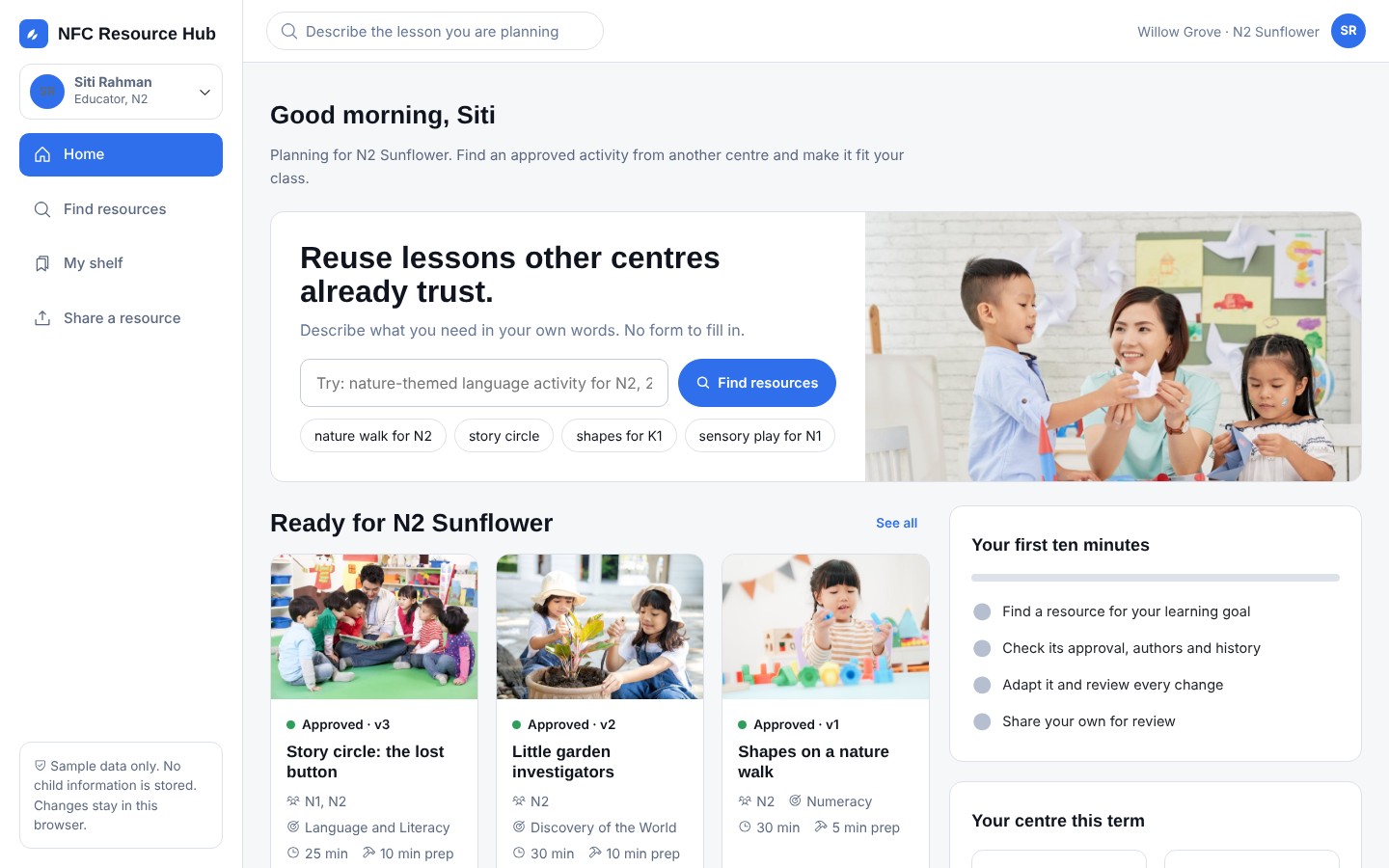

Good ideas are made in every centre. They are hard to find.
Educators spend time rebuilding what a colleague already did well. The hub brings the best resources together, keeps them current and makes them easy to adjust.
- Find in minutesSearch the way you talk. No long forms.
- Trust what you findEvery resource shows who made it and what changed.
- Keep controlSuggestions explain themselves. You accept, edit or reject.
Three things educators do every week
The hub is built around them.
Find
Type what you need, such as a nature-themed language activity for N2. See why each result matched.
Adapt
Tell the hub about your class. Review suggested changes one by one, with the source and the reason.
Share
Upload a file or take a photo. Age, goal, topic and materials are suggested, and you check them.
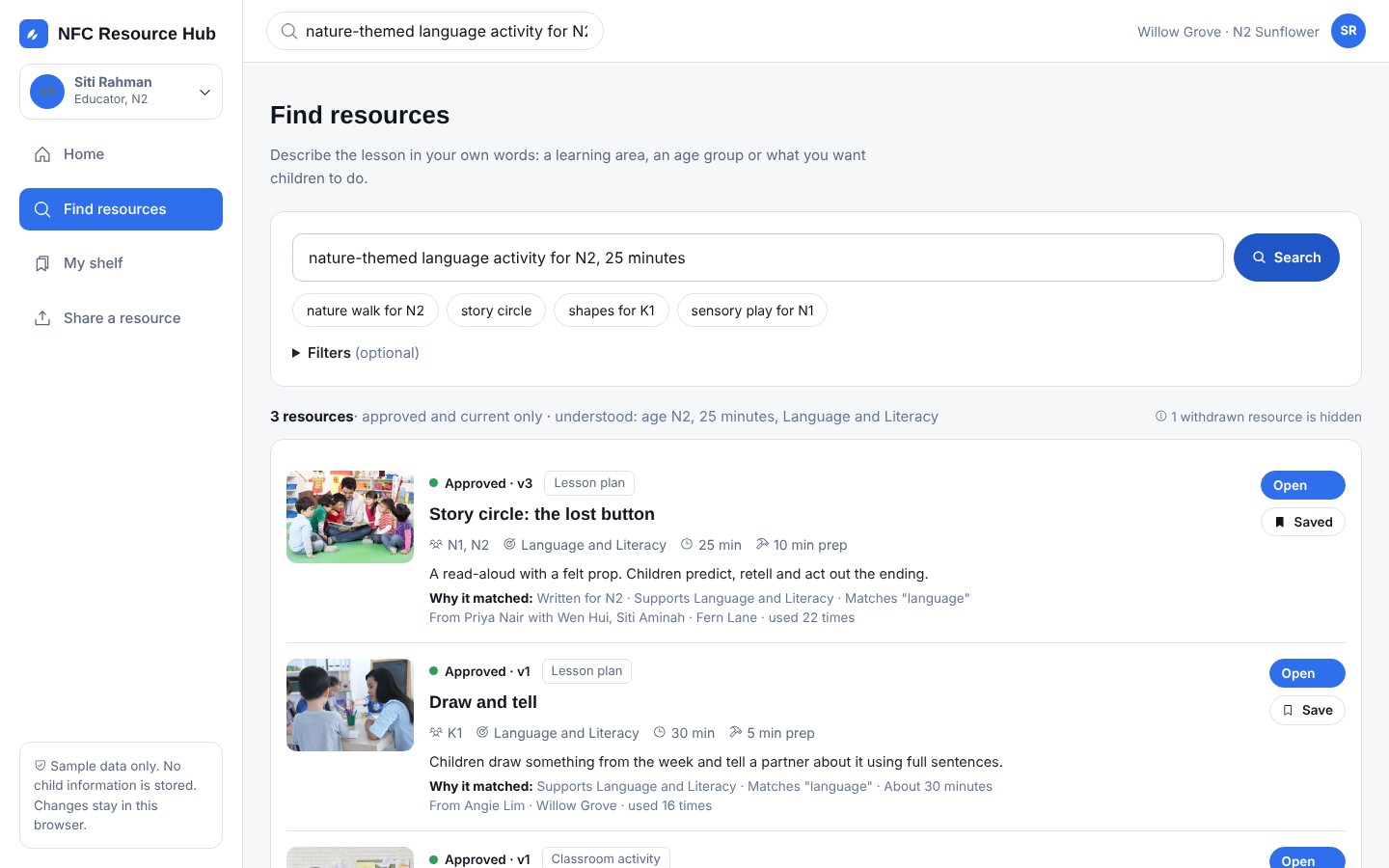
Search in your own words
The hub reads age, time and learning goal from your sentence. Only approved, current resources appear.
- Reasons shown for every match
- Filters are optional
- Withdrawn items never appear
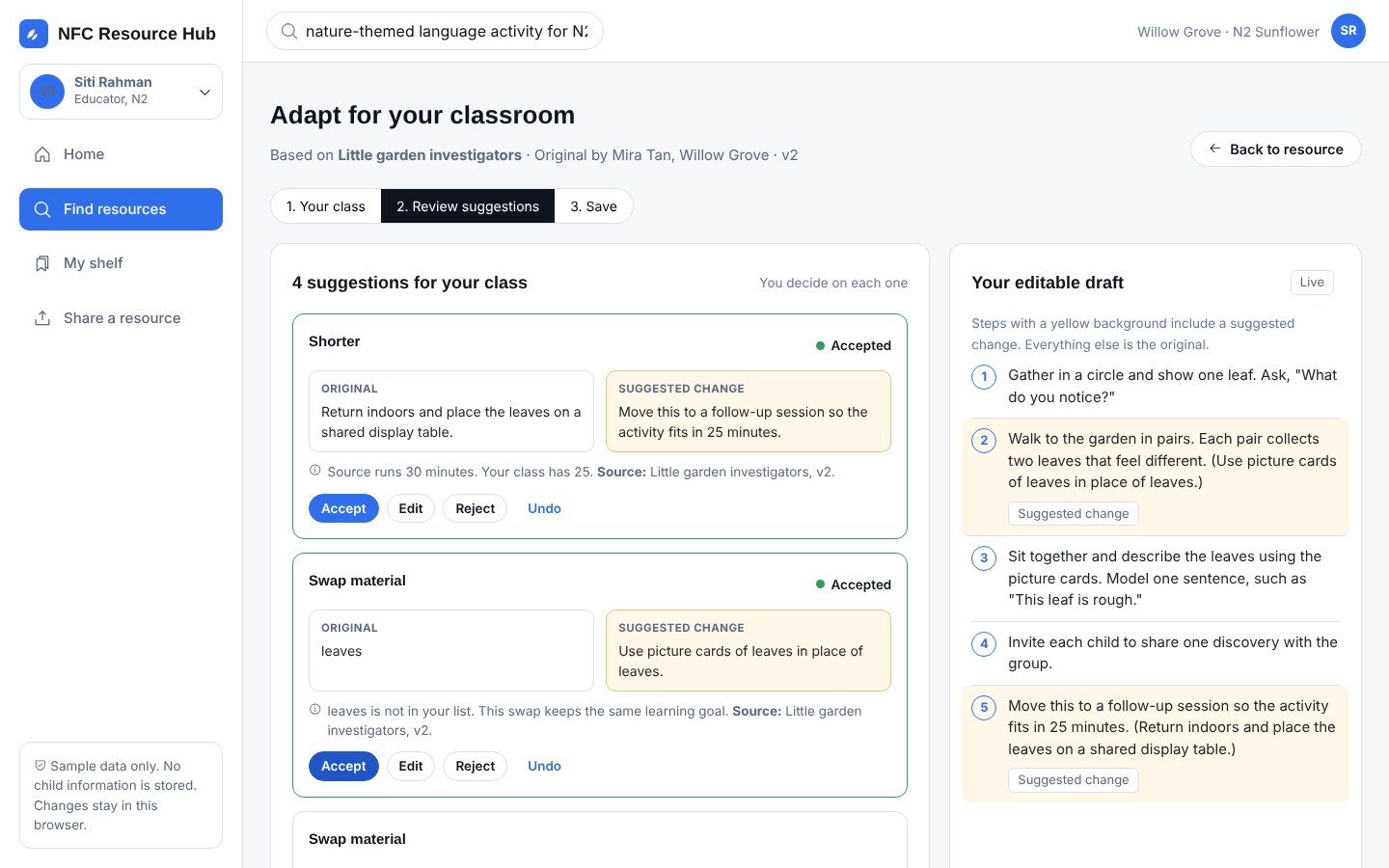
Change it for your class and stay in charge
The hub suggests a shorter activity, simpler words or a swap for a material you do not have. Each change shows its source. Your draft marks what is new.
- Accept, edit or reject each change
- The original author stays credited
- One tap to send it for review
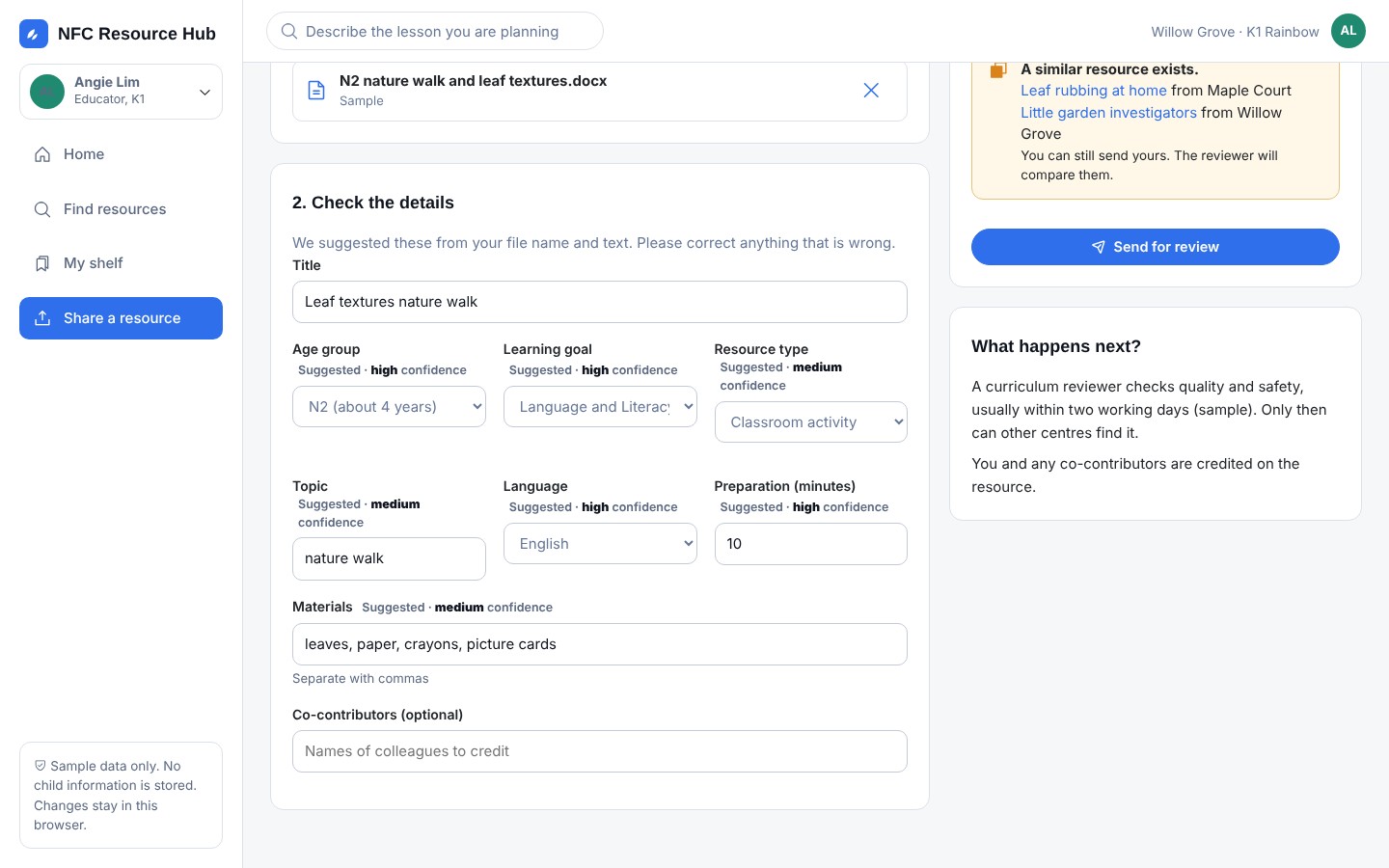
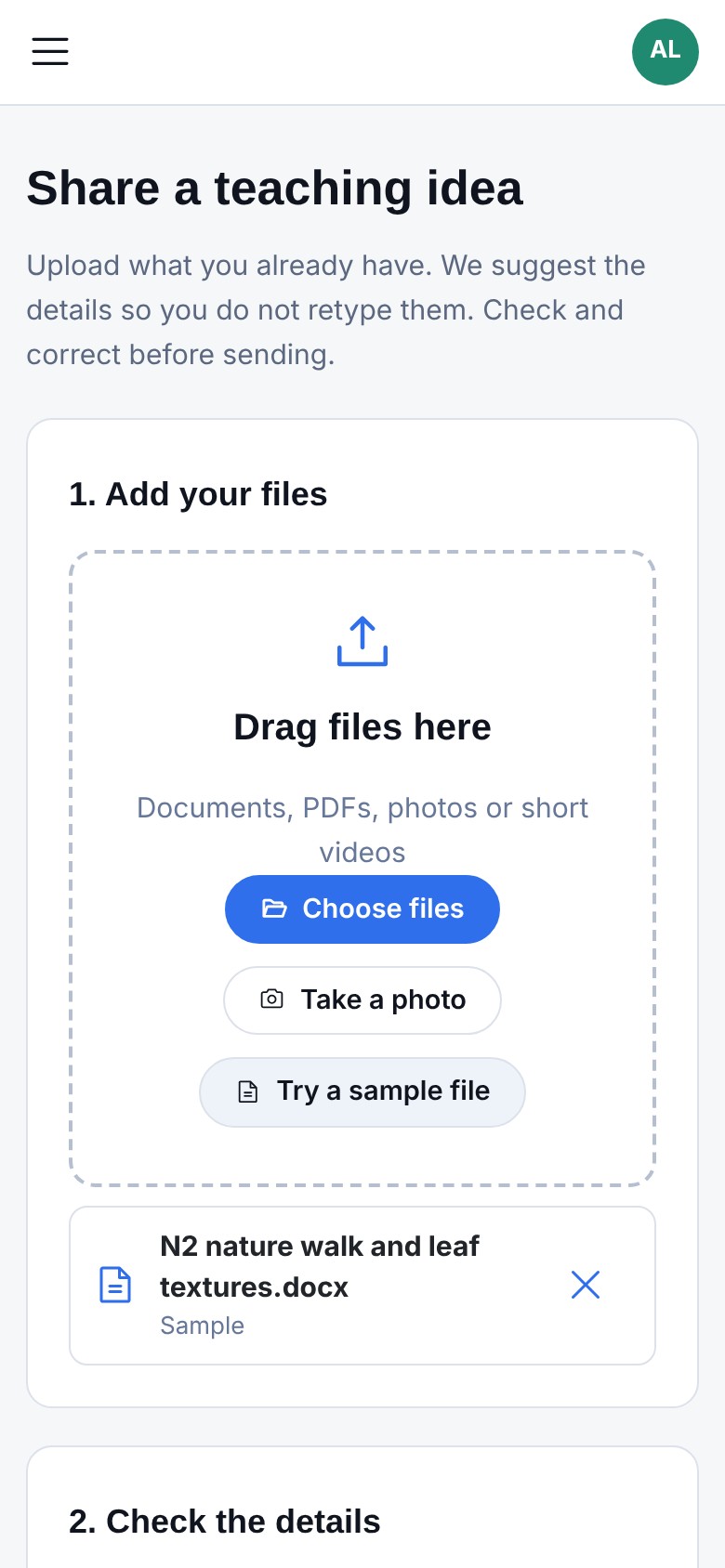
Share from your phone
Upload the file you already have, or take a photo. Age, goal, topic, language and materials are suggested. You check and correct them.
- A similar resource is flagged before you send
- Nothing is shared until it is reviewed
- No child information, by design
Review in one place
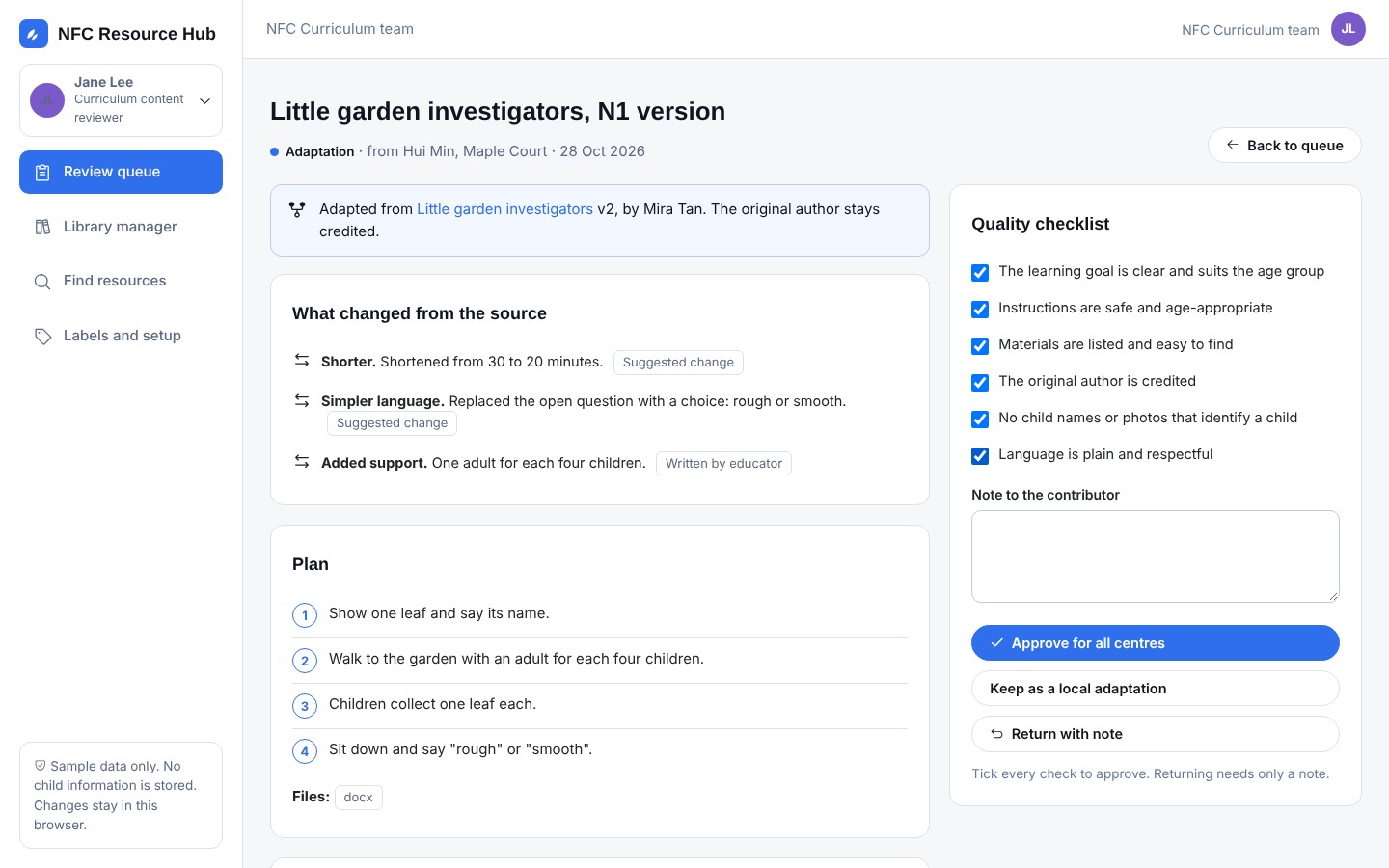
One step covers new resources, adaptations and updates. A short checklist keeps quality steady across centres.
- See exactly what changed from the source
- Approve for all centres, keep local, or return with a note
- Official curriculum material stays protected
Update or withdraw, with a record
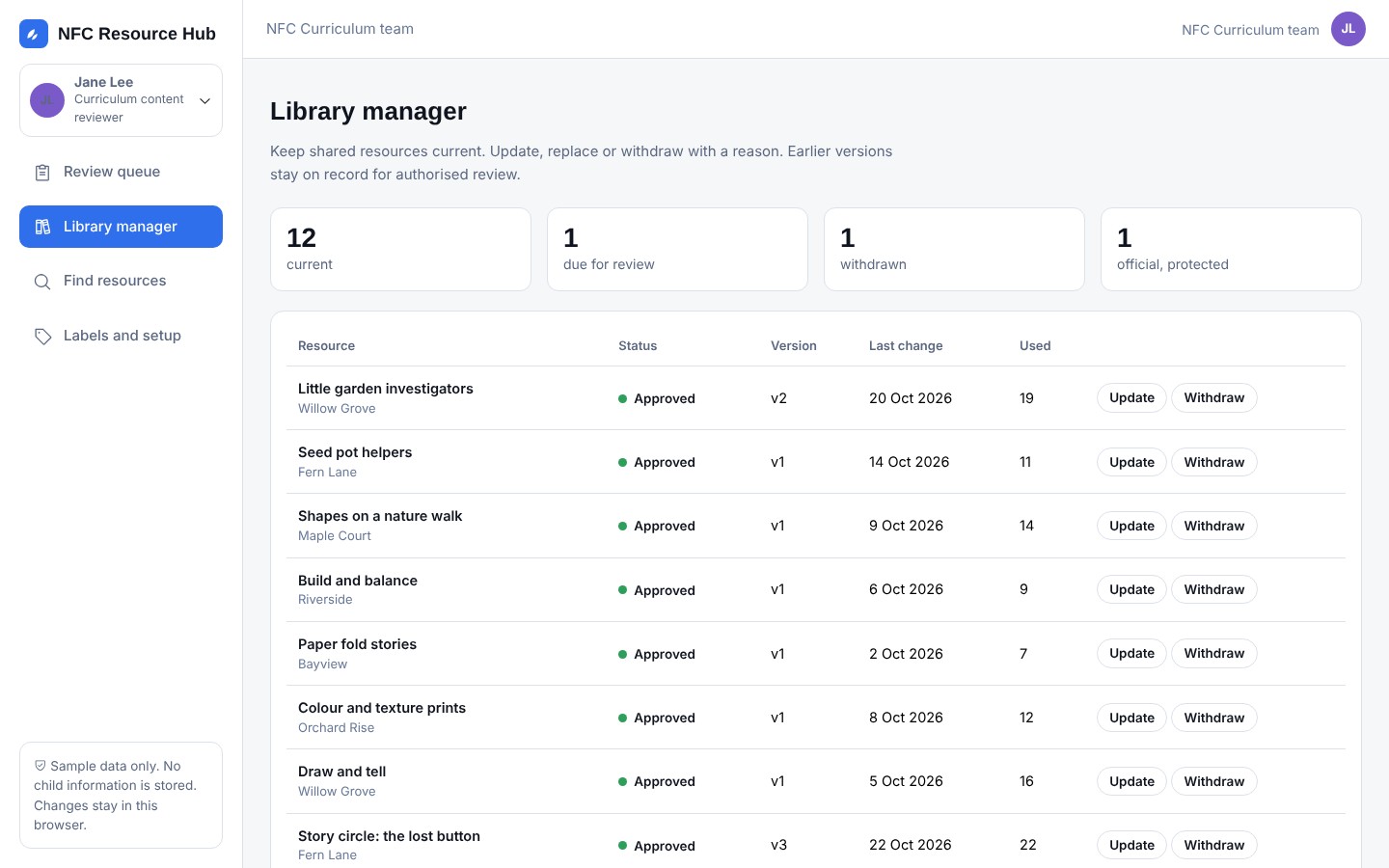
Mark a resource due for review, replace it, or withdraw it with a reason. A withdrawn resource points to its replacement.
- Earlier versions stay on record
- Search never recommends withdrawn items
- Library view shows status and use
The agreed pilot measures in one view
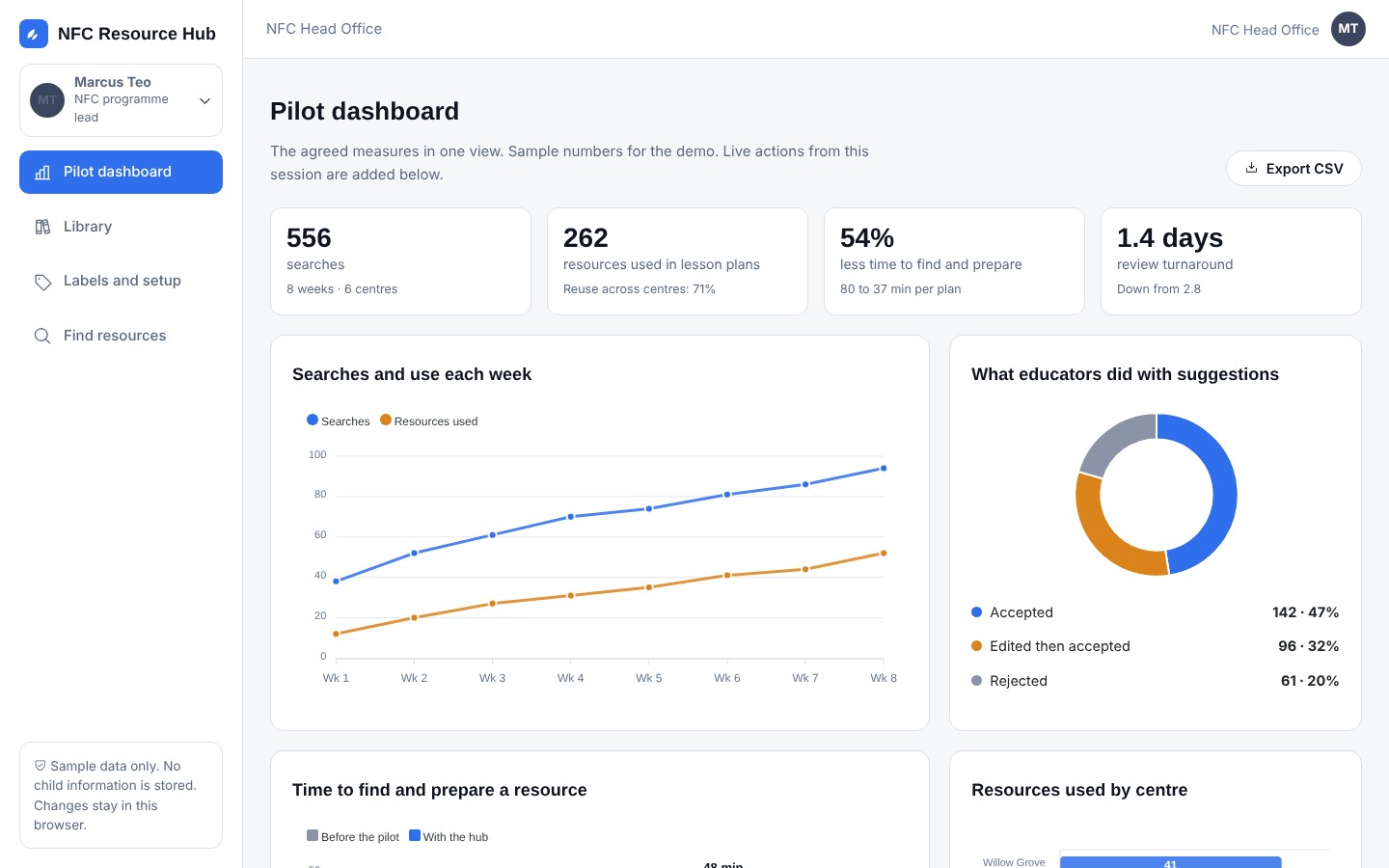
Searches, use, how educators treated suggestions, time to prepare, review turnaround and upkeep. Counts only. Export to CSV.
- Real effort before and after
- Centre view for leaders
- Sample numbers shown in the prototype
One loop, from a good idea to a trusted resource
Educators contribute and adapt. Reviewers keep quality steady. Everyone sees what is current.
Find
Describe the lesson in everyday words. The hub reads the age, time and goal for you.
Check
See who made it, which centre it came from and what has changed.
Adapt
Review each suggested change, with the source and the reason beside it.
Share
Upload a file or take a photo. Details are suggested and you check them.
Review
A reviewer approves it for all centres, keeps it local or sends it back.
Keep current
Update, replace or withdraw. Earlier versions stay on record.




Built for five people
Pick any of them in the prototype and see the hub through their eyes.
Siti Rahman
Plans a nature-themed language activity. Finds a trusted resource from another centre, then makes quick changes for her class.
Angie Lim
Has an activity that worked well. Shares it from her phone without retyping.
Jane Lee
Reviews new resources, keeps the library current and withdraws what is out of date.
Grace Ong
Sees what her centre shares and uses, and who might like some support.
Marcus Teo
Follows the agreed pilot measures in one place.
People decide. Privacy comes first.
The hub drafts and explains. It never decides for an educator or a reviewer.
- Review before sharing
- Nothing reaches other centres until a reviewer approves it.
- No child information
- The hub holds no child profiles. Contributors confirm their files contain none.
- Clear access by role
- Educators, leaders, reviewers and official content each have set rights.
- Counts, not people
- Reports show use and effort. They do not rank individual educators.

See it for yourself
Choose a role, search for a lesson, adapt it and send it for review. It takes about ten minutes.
Try it now